Every designer hits a wall at some point. You open a blank file, stare at it, and realize everything you're making looks exactly like everything you made six months ago. You're not blocked — you're just starving your inputs.
Here's the thing: the quality of your output is directly tied to the quality of what you consume. If you only look at work in your niche, you'll produce work that looks like everyone else in it. The interesting stuff happens when you start pulling references from places that have nothing to do with your current project.
This is what actually feeds my creative process — and how I think about building a system around it.
Portfolio platforms
Behance
Behance is where you go when you want to understand how someone thinks, not just what they made. Projects include process shots, strategy notes, and the decisions behind the final result. That context is what makes it worth your time.
I'd recommend following specific creators rather than just browsing the discovery feed. Track how their work evolves over months. You'll learn more from that than from any single reference.
Dribbble
Dribbble gets a lot of criticism, and some of it is fair — a lot of the work is polished but shallow. That said, it's still one of the best places to quickly solve a specific visual problem. Need to see how people handle a loading state or an empty screen? You'll find twenty good examples in five minutes.
It also surfaces trends early, which is useful as long as you're watching trends to understand them, not just copy them.
Awwwards
If you build for the web — especially in Framer — this one is essential. Awwwards curates sites that push what's technically and creatively possible, and the judging criteria actually considers usability alongside aesthetics. You'll come across scroll interactions, navigation patterns, and typographic treatments you genuinely hadn't thought of. Don't skip the honorable mentions either.
Visual discovery
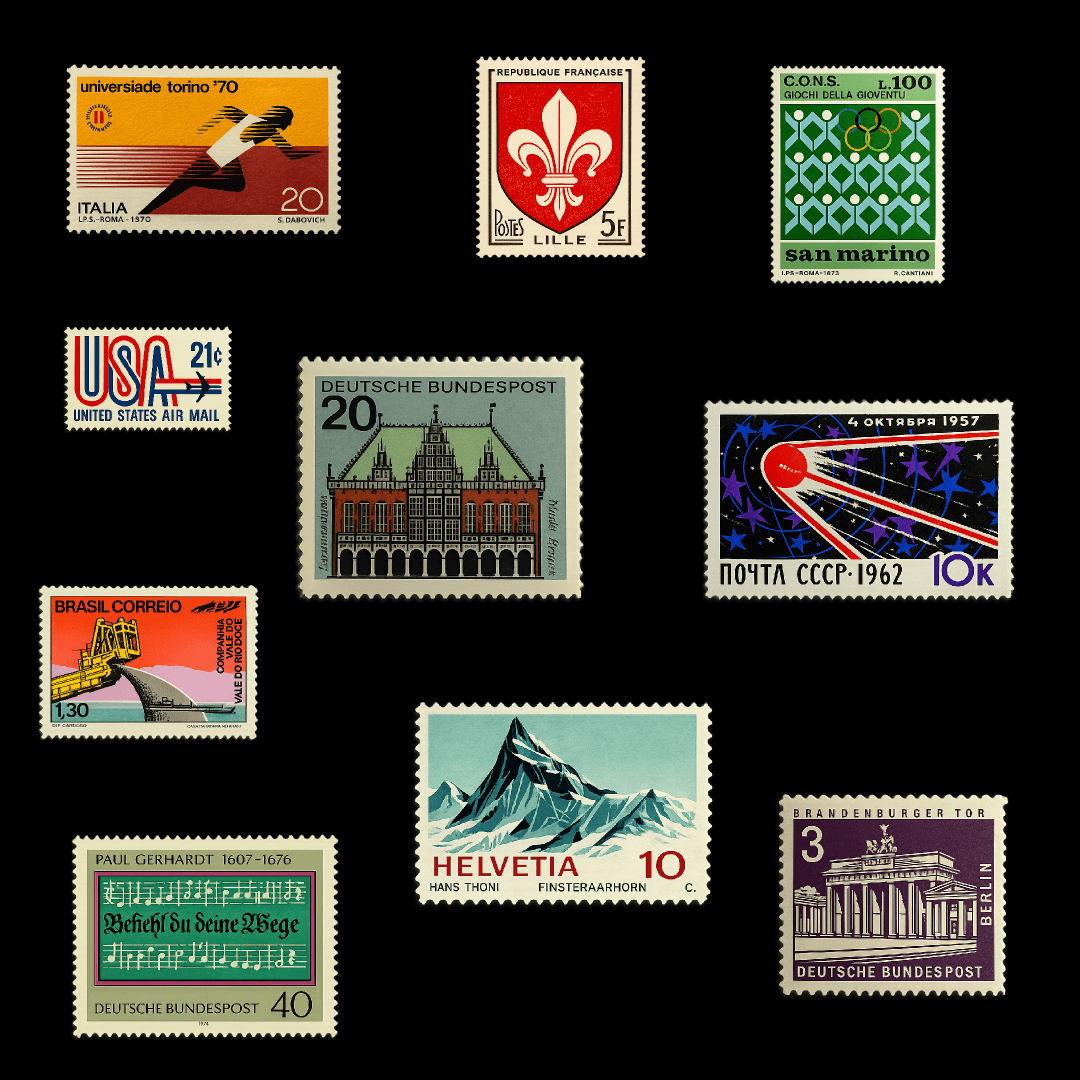
Pinterest works because it's a bit chaotic. Search for "editorial layout" and you might get a vintage magazine spread, an architectural photo, and a 1970s book cover in the same scroll. That collision of unrelated references is where the interesting ideas come from.
I keep project-specific boards, but also broader ones around moods, textures, and color palettes I keep returning to. The algorithm gets better the more intentionally you use it.
Designspiration
Cleaner and more focused than Pinterest. The color search is genuinely one of the most useful features in any design tool — enter a hex and browse thousands of images built around that exact shade. When you're locked into a brand palette, this helps you see what's actually possible within it.
Are.na
If you haven't used Are.na yet, it's worth exploring. It's deliberately slow — no likes, no algorithm, no follower counts. People collect things into channels and make them public. The quality of curation here is completely different from anywhere else. It tends to attract designers, researchers, and artists who save things because they genuinely mean something. The work you find there rarely shows up anywhere else.
Social platforms
Still worth it, but only if you're intentional. Build a dedicated list of design accounts separate from your personal feed — otherwise the good stuff gets buried fast. Stories are often more interesting than posts: works in progress, honest reflections, things that never make it to a polished portfolio.
TikTok
I know. But hear me out — TikTok is genuinely useful for design education. Process breakdowns, typography deep dives, speed runs. The short format forces creators to get to the point, which often makes it more useful than a 40-minute YouTube tutorial. Engage with a few design videos and the algorithm figures you out pretty quickly.
Twitter / X
A lot of the real design discourse still happens here. Designers share screenshots, debate trends, and break down why things work or don't — often in real time. It's harder to find than Instagram, but follow the right people and your feed becomes something genuinely interesting to read.
Niche tools worth knowing
Mobbin
Real mobile app interfaces organized by screen type and interaction pattern. Onboarding flows, empty states, paywalls — search for what you need and you'll have dozens of real-world examples immediately. It's not about copying what you find. It's about understanding what conventions exist so you can decide when to follow them and when to break them intentionally.
Siteinspire
Curated websites with a clean, typography-forward sensibility. The curation is opinionated, which is actually what makes it good — you're seeing work chosen by humans with consistent taste rather than an engagement algorithm. If your aesthetic leans minimal and structured, you'll feel at home here.
Fonts in Use
One of my favorites. Shows typefaces in actual published work — editorial, branding, signage, packaging. Search by font name and see how other designers have used it across completely different contexts. Before committing to a typeface for a project, I almost always end up here.
Land-book and Lapa Ninja
Both are solid for landing page references. If you design marketing sites or build in Framer, these are worth having bookmarked. Lapa Ninja skews more toward SaaS; Land-book has better filtering by color and style.
The analog layer
This one gets overlooked, but it matters. Some of the best creative inputs come from completely offline sources.
Flip through design annuals and art books at a bookstore. Printed work shows you things screens flatten — paper weight, texture, how designers handle physical constraints. These are decisions that have no digital equivalent, and studying them sharpens your eye in ways that translate back.
Galleries and museums work differently too. Fine art and architecture operate under entirely different rules than commercial design — different intentions, different constraints, different definitions of success. Spending time with that work breaks you out of digital conventions in a way nothing on a screen can.
And keep a notebook. Drawing, even badly, forces you to notice details you'd scroll past. It's a personal archive that no platform owns or can take away from you.
Making it a system
Here's the honest part: collecting references means nothing if you don't have a system for actually using them.
Schedule dedicated research time separate from project work. Even fifteen minutes every morning adds up faster than you'd expect. You're building visual vocabulary that pays off when you actually need to create — not scrambling for references the night before a deadline.
Organize what you save. Tools like Eagle, Raindrop, or Mymind make it retrievable. An inspiration folder you never open is just hoarding.
Ask why something resonates. This is the one that actually changes how you work. Don't just save something because it looks cool — ask what specifically caught your eye. The color relationship? The type hierarchy? The unexpected layout choice? That question turns passive collecting into active learning.
A few other habits that help:
Review your saved work before starting a project, not just when you're stuck
Follow designers whose work you don't immediately love — they'll expand your taste faster than the ones you already agree with
Share finds with other designers — talking about why something works is often more valuable than saving it
The designers producing consistently interesting work aren't more talented. They've just built better systems for feeding their creativity.
Start building yours.
I'm Ava. I make Framer templates and write about design and development here. You can also find me on X.
I use AI as a writing tool — to improve my English, research topics, and develop ideas. Everything you read reflects my own perspective and experience as a designer.